Hi there, {{ first_name }}.
I spent part of this week making my daily notes sexier. Call me superficial if you'd like.
Here's what's inside:
- Prettifying my daily notes: CSS snippets that make your vault easier to scan
- PKM Summit 2026: I'm presenting again, and the system has evolved
- What I'm busy with: what's cooking and what's coming next
- Recent content: articles and videos from the past few weeks
Prettifying my daily notes with CSS snippets
My daily note is the busiest page in my vault. Logs, tasks, links, tags, all competing for attention. It looked like a wall of text. Functional, sure. But about as pleasant to look at as my family WhatsApp group's AI slop videos that my dad keeps spamming.
So I asked uncle Claude to help me fix that.
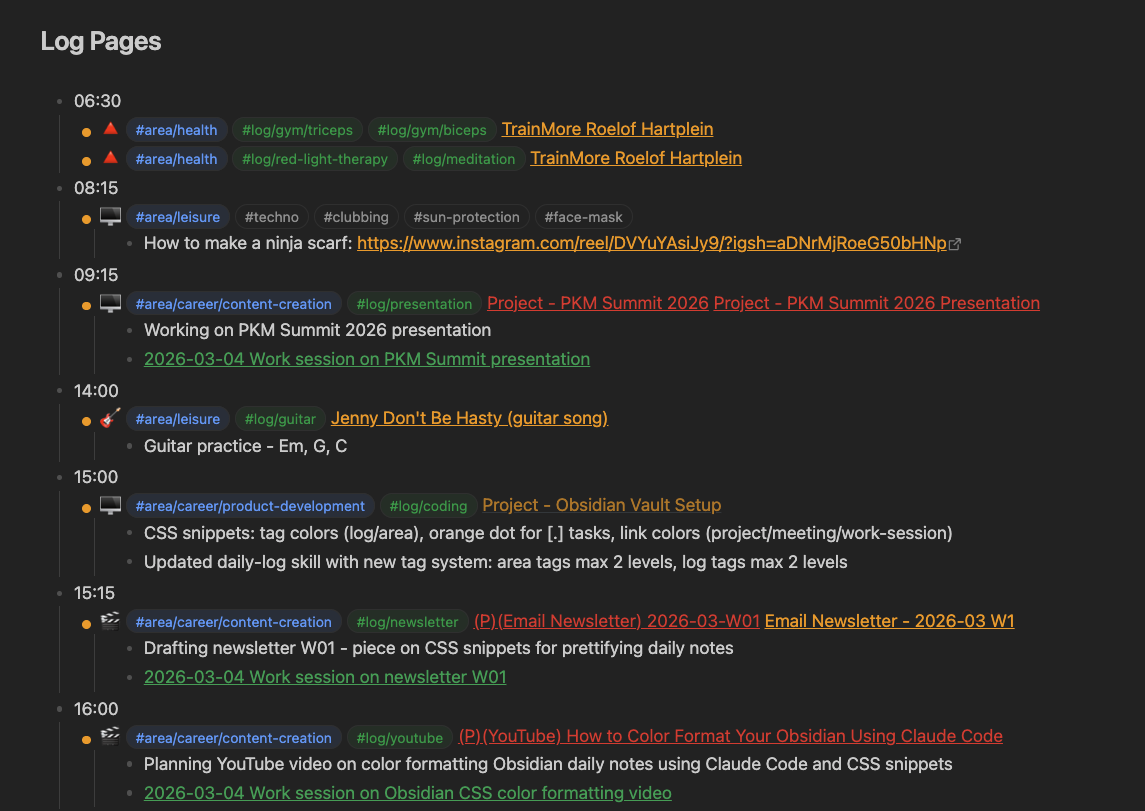
Here's what we did:
Coloured tags. All my #log/ tags now show in green. All my #area/ tags show in blue. Before, everything was the same default colour and my eyes had to play Where's Waldo with 47 identical-looking tags. Now I glance at a line and instantly know what I'm looking at.
Coloured links. Project links show in red. Work sessions and meetings show in green. Everything else is amber. When I scan my daily note, the projects pop, the sessions are easy to spot, and the regular links sit comfortably in between. (This one uses the Supercharged Links plugin so Obsidian knows which link is a project vs a meeting. The other two work without any plugins).
Orange dots instead of checkboxes. My log entries use [.] instead of [x] or [ ]. They're not tasks. They're things that happened. The default checkbox made them look like incomplete to-dos, silently judging me. Now they show as small orange dots. Done. Acknowledged. No guilt.
The whole thing took about 30 minutes. I didn't touch a single line of code.
How I (we) did it
Obsidian open on the left. Claude Code open on the right.
I said "make my log tags green." Claude created the CSS snippet. When it worked in Reading View but not in Live Preview, I told Claude it was a dumb piece of shit. It politely asked me to inspect the element so it could see exactly what Obsidian was rendering. A few back-and-forths later, everything was coloured. Patient as a saint. Gently held my hand through the whole process while I insulted it.
I didn't write a single line of CSS. I didn't need to know what a CSS selector is. I didn't even need to know what "CSS" stood for (Cumbersome Sneaky Snake?). Claude handled all of that. The only thing I did manually was go to Settings > Appearance > CSS Snippets and toggle the snippet on.
Describe what you want. Claude builds it. You flip the switch.
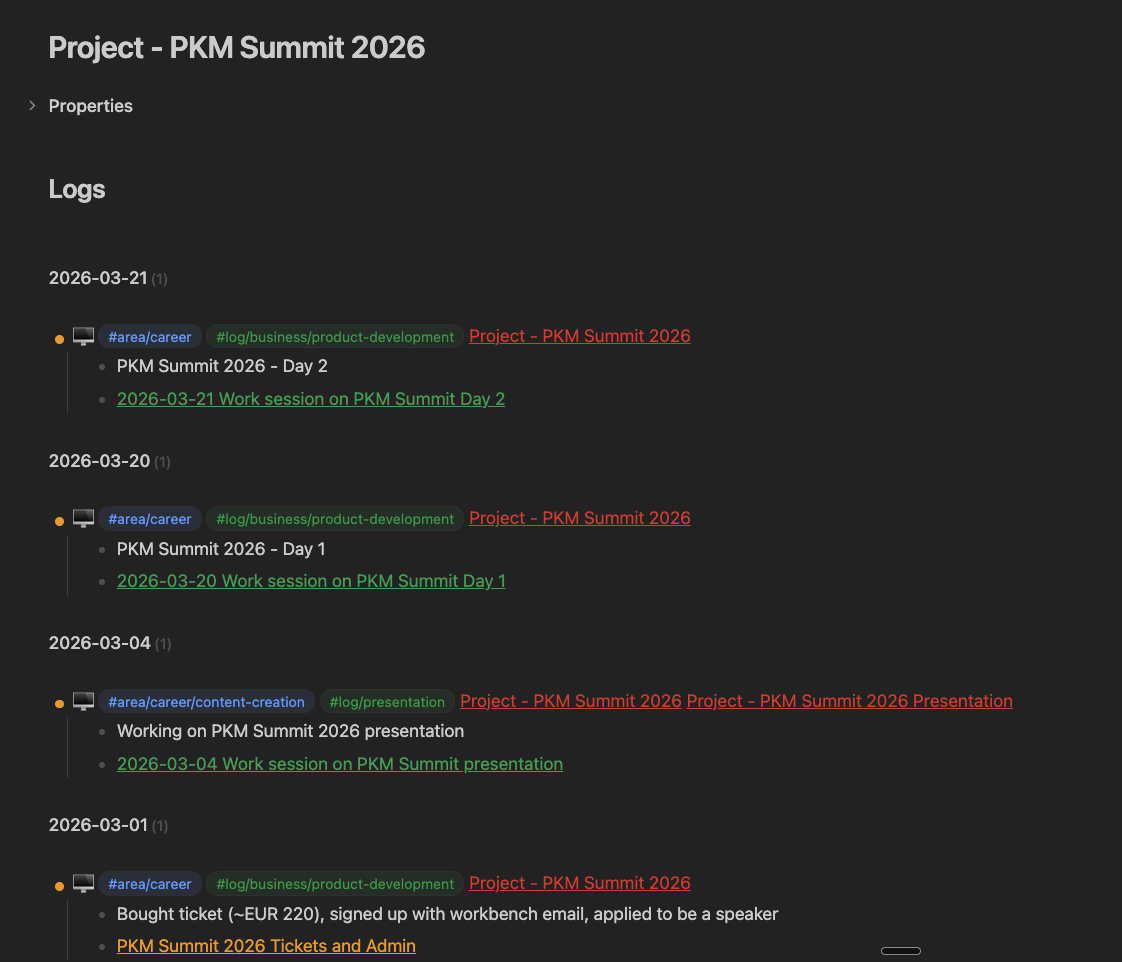
The best part? These colours don't just show up in the daily note. They cascade everywhere. My project pages, person pages, weekly reviews. Anywhere Dataview pulls in log entries, the colours come with them. One change, and suddenly my entire vault is easier to scan.
If you want to see how this kind of workflow works in practice, I run Claude Code x Obsidian workshops every couple of weeks where we set everything up together.
P.S
One of my 3-session build clients, Gene, wrote an article about his experience going from reading about AI to actually building with it. In three weeks he went from workshop attendee to building automated health tracking, a mobile capture pipeline, meeting processing workflows, and a custom task system. He put it better than I could: "The only way I've found to reduce the anxiety around the pace of change is to be deeply immersed in the application of it." Worth a read if you've been on the fence about getting your hands dirty. Read Gene's article.
PKM Summit 2026
Last year I presented at the PKM Summit next to some big names like Nick Milo (Linking Your Thinking), Zsolt (Excalidraw), and Nicole van der Hoeven.
I showcased my Obsidian setup. The system I'd been building for years. Folder structure, templates, tagging, Dataview queries. The whole architecture.
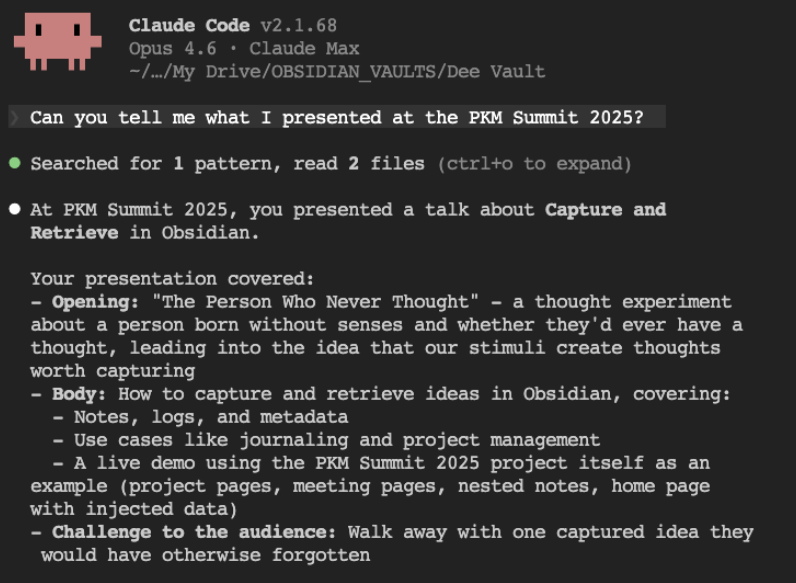
This year I'm going back. And honestly, looking at where the system is now compared to twelve months ago, it feels like a different era.
Two major things changed since last year:
1. Bases. Obsidian introduced Bases, and it quietly changed everything about how I retrieve information. Before, I was writing Dataview queries for every view I needed. Now I have clean, filterable tables that just work. It made Obsidian so much easier to live in day to day.
2. AI as a personal assistant. Claude Code turned out to be the missing piece I didn't know I needed. It manages the structure. It logs my day. It processes my meetings. It creates notes that follow my exact conventions. It links things bidirectionally without me having to think about it. This week it built CSS snippets to make my vault prettier. Something I never would have sat down to do myself.
Obsidian gave me the structure. Bases made that structure easy to see. Claude Code made it easy to manage. Together, you end up with a system that actually reflects how you think, how you work, how you live. And somehow it's become easier to maintain, not harder.
My session this year will walk through exactly that evolution. I'll also be recording the talk, so it'll double as a little masterclass on building a system like this from scratch. Even if you're not attending, it should give you some ideas.
The PKM Summit 2026 is happening March 20-21 in Utrech Netherlands. If you're going, come say hi.
I'll have stickers. <3
What I'm busy with / What's coming next
- Prepping my PKM Summit 2026 presentation
- Something exciting coming related to the 3-session build plus AI assistants
Recent content
Articles:
Videos:
- Claude x Obsidian: Setting Up Claude Code (Guide): Step-by-step setup for Mac and Windows
- I Lost All My Templates. Here's How I Rebuilt Them: Obsidian Web Clipper templates walkthrough
Until next week,
Strength and Honour,
Dee


Responses